About
The mobile version of Budgetfy, with all the budget planning features from the web app plus two additional modules: Charges for shared expenses and Inbox for AI-detected transactions from email.
Available on the App Store now. Android is in closed beta — send an email to enmanuelmag@cardor.dev to join.

Budgets
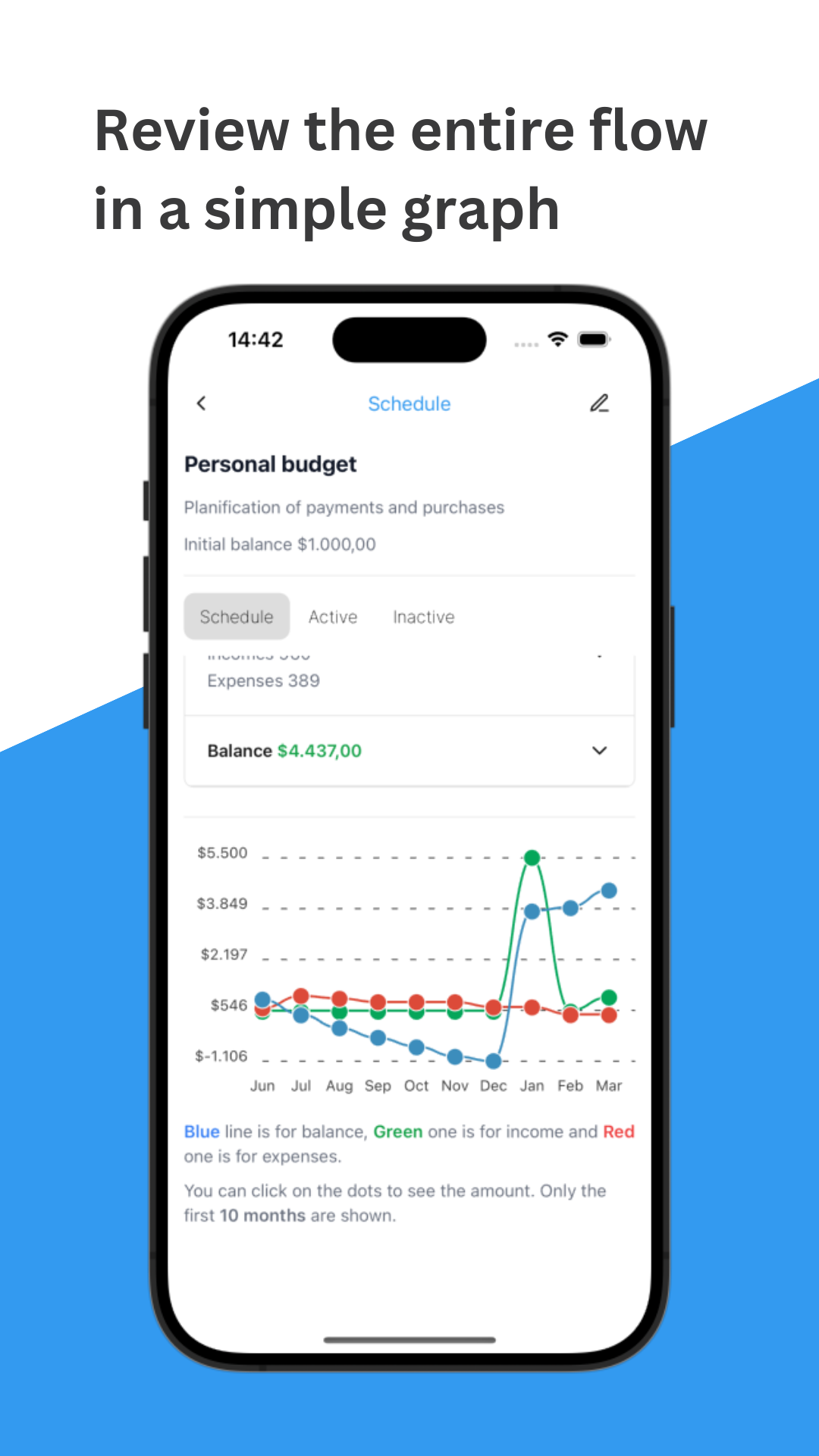
Each budget shows one card per month with three sections. The first is a category summary with totals per spending category. The second is a timeline with all income and expense events for that month, plus the estimated balance — you can tap any event to mark it as paid or received, updating the balance in real time. The third is a timeline plot showing the full evolution of income, expenses, and balance across the budget period.

Inbox
The Inbox surfaces transactions detected automatically from your Gmail or Microsoft 365 inbox by a background LLM processing engine. Each detected transaction shows up as a suggestion — you can create a new budget event from it, or link it to an existing recurring event and mark that occurrence as completed. Nothing is added to your budget automatically; you review and decide on each one.
The detection pipeline runs on a self-hosted LLM via an event-driven backend (pub/sub on Google Cloud and Azure), using the Datasource/Repository pattern to keep the mobile layer decoupled from the processing infrastructure.
Charges
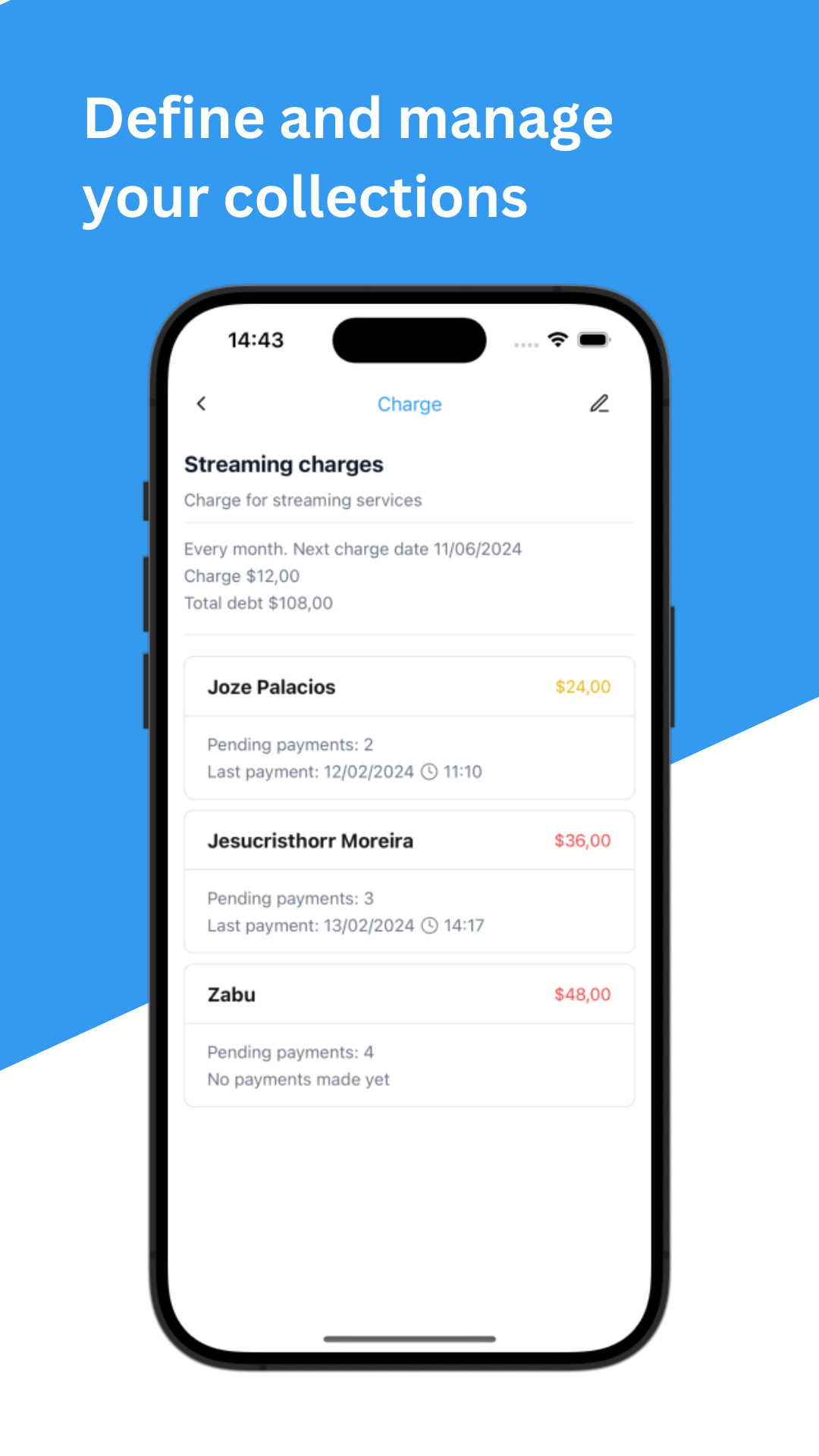
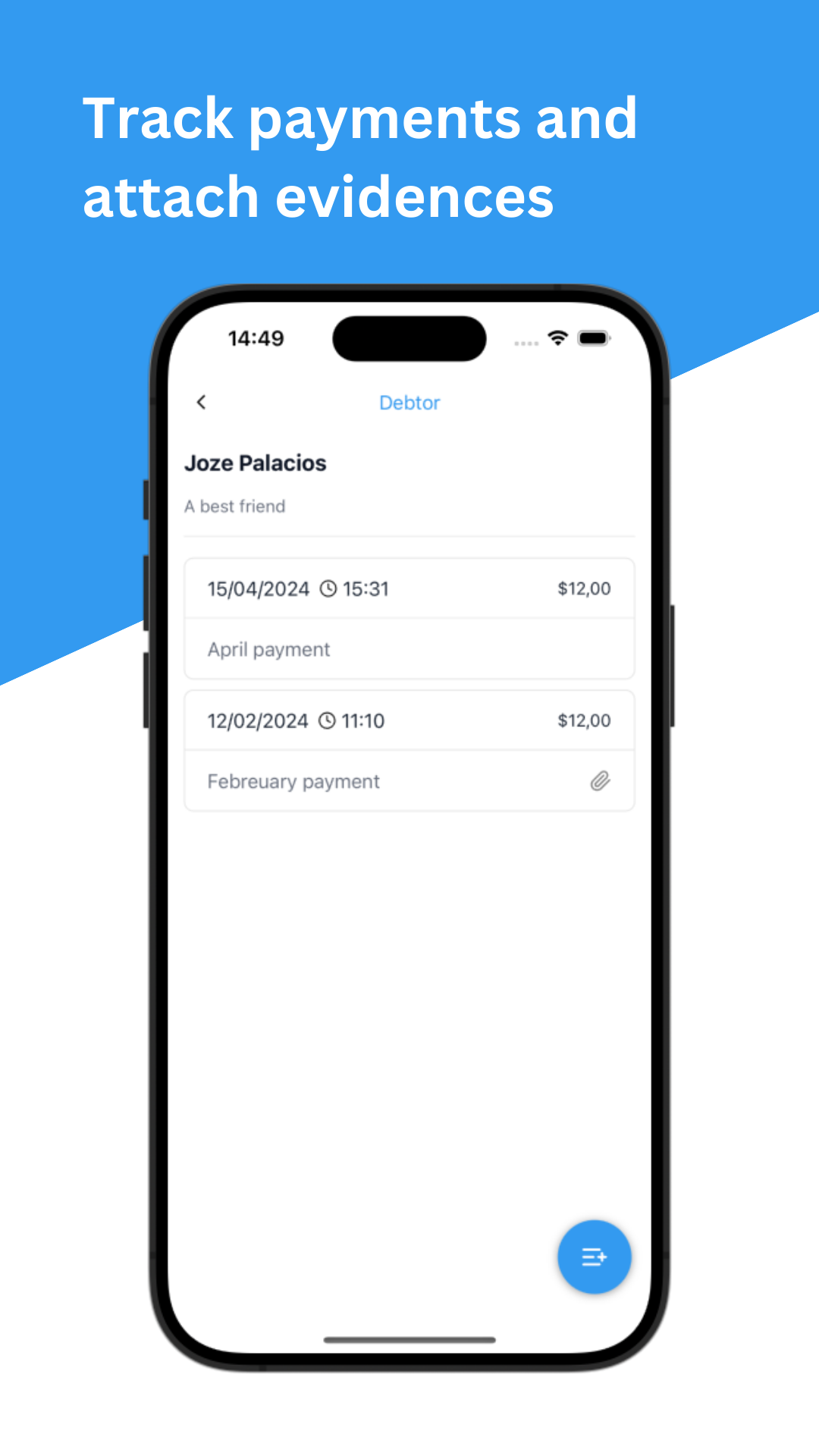
The Charges module handles shared expenses. Define a charge with a name, amount, category, date, and frequency, then add the debtors — the app calculates each person’s share automatically. As payments come in you can log them with an attached image as evidence, and the app tracks the remaining balance per debtor.
Sign up for free with email/password or a Google account.
Tech used
- React Native, React Navigation
- Expo (Notifications, Image picker)
- React Query (TanStack)
- Zod (schema validation)
- Firebase (Auth, Firestore, Crashlytics)
- Datasource/Repository pattern
- LLM-powered email processing (event-driven, self-hosted backend)